Draw XXL documentation
Choose a tutorial:
- Getting Started
- Drawing without code
- Drawing with code
- Speeding up the workflow with code snippets
- Limitations and settings
Thank you for purchasing Draw XXL. I hope it will be useful for you.
Before anything else:
If the asset doesn't work as expected, if you get stuck somewhere in the tutorial or if you have questions of any other kind:
Feel free to contact me. I'm glad to hear from you and are available via mail or Discord.
How to get started with the new asset? The first thing is (as with any other asset) to download and install it via the package manager to your project.
Now it is worth mentioning that Draw XXL can be used with two different approaches: Via code and via components (without any code). Both have its advantages and the next two tutorial chapters explain each of them.
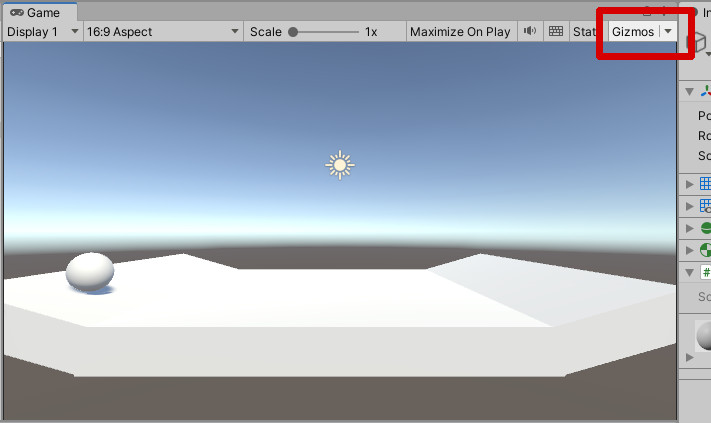
Independent of which way you choose there is one thing to know before anything gets drawn to your screen: Draw XXL by default uses Unitys build in Debug.DrawLine() function under the hood. That means you have to enable gizmo drawing for the desired view panels (Scene View and/or Game View) in the Unity Editor.
This is done by toggling the gizmo button in the top right corner of the Editor panel: